
Buying GTA 5 Online services—money boosts, rank help, modded accounts—is a market fueled by impatience and murky promises. Rockstar’s rules and enforcement can change, but your personal safety habits should not. This guide is a straight checklist for protecting your credentials, spotting shady sellers, and knowing what “too good to be true” looks like on PlayStation, Xbox, and PC.

Account hygiene beats any discount percentage
Strong passwords, unique email access, and two-step verification wherever Rockstar and your platform allow it are baseline—not paranoia. Attackers love players who reuse passwords from old forum leaks. If someone offers a “deal” that starts with sharing full account access outside a clear, professional process, treat that as a giant red flag.
Understand what you are buying in plain language
Money drops, account bundles, and rank boosts are different operations with different footprints. Before paying, you should be able to explain in one sentence what the seller will do and what you must supply. Vague phrases like “full recovery” without scope are warning signs. Good sellers answer platform (PS/Xbox/PC, legacy vs enhanced where relevant), delivery method, and timeline without bullying you.
Payment pressure and off-platform chat traps
Scammers love urgency: “limited slots,” fake middlemen, and invoices sent through random apps. Prefer structured storefronts with clear refund or support policies. If someone insists you disable security features “so it works,” close the tab. Legitimate operators have procedural guardrails; criminals lean on confusion.
Questions to ask before you pay
Ask what they need from you (character name only vs risky credential sharing), how long delivery takes, what happens if a step fails, and how support reaches you after purchase. If answers dodge specifics, pause.
After delivery: calm first, spend later
Let balances settle before you go on a shopping spree. Sudden splurges draw attention in public sessions anyway. Learn what “normal” progress looks like on a fresh boost so you do not panic-report yourself into a ban appeal.
When to walk away entirely
Wallet inspectors, requests for unrelated personal data, demands for remote control software on your PC, or “Rockstar employee” cosplay should end the conversation. No discount is worth identity theft.
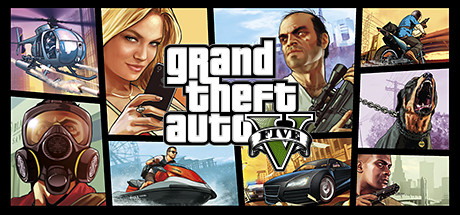
Kids, household accounts, and shared consoles
If minors use the console, lock down store purchases and explain that “free money” DMs are usually theft. Parental controls exist for a reason; GTA Online’s social layer is not kindergarten. Adults should model calm skepticism toward random party invites promising millions.
Why reputable marketplaces matter
Established shops survive on repeat buyers and dispute hygiene. Read recent trust signals—not ancient five-star screenshots—and use the communication channel the storefront provides. That paper trail matters if something goes sideways.
Balancing risk honestly
No article can promise zero enforcement risk from third-party services; Rockstar updates policies and detection over time. What you can control is vendor choice, personal data exposure, and whether you read what you buy. Pair services with strong account security so the only thing at stake is progress you intended to trade cash for—not your entire digital life.
Evidence and support hygiene
If a purchase goes wrong, orderly documentation helps more than rage-tweeting. Keep receipts, chat logs from the official storefront, and timestamps. Know how to reach real support versus anonymous Discord “refund bots.” Legitimate businesses want traceable cases; fly-by-night operators vanish precisely because you cannot reconstruct what happened.
PC-specific caution
On PC, malware often arrives dressed as “free menus” or cracked bundles promising impossible advantages. Treat unknown executables like street food of questionable temperature—interesting from a distance, not worth the hospital trip. Keep Windows updates and browser hygiene current; half of “I got hacked” stories trace back to reused passwords plus sketchy downloads, not mystical breaches.
Console-specific caution
On PlayStation and Xbox, protect party invites and messages from strangers pushing “free money lobbies.” Social engineering targets convenience: kids, tired adults, anyone multitasking. Use platform-level privacy settings so randos cannot drag you into voice chats designed to rush judgment.
Payment rails reality: cards, wallets, and “friends & family” nonsense
Trusted storefronts use normal buyer protections when possible. Anyone insisting on irreversible rails—gift cards, crypto-only, or “send friends & family so fees disappear”—deserves extra scrutiny. Fees exist partly because legitimate businesses absorb dispute overhead; scammers avoid that paper trail deliberately.
Chargebacks, ToS, and adult expectations
Chargebacks are a blunt instrument: they can burn bridges with honest sellers if abused, yet fraud victims sometimes need them. Understand that boosting purchases may sit in gray zones Rockstar dislikes. Buy with clarity about enforcement risk and consumer protections; do not confuse PayPal anger with magic undo buttons.
Social Club, email, and password containment
Separate your gaming email from your payroll email when practical. If one inbox leaks, containment limits blast radius. Rotate passwords after breach headlines—even unrelated ones—because people still reuse “Summer2020!” across fifteen sites.
Family accounts, couch co-piloting, and “just click accept”
Partners or kids hovering during checkout cause mis-taps. Full-screen purchase flows deserve full attention. If someone else uses the console profile, enable spend PINs and explain why “free garage” pop-ups sometimes cost fifty bucks of real money.
“Account babysitting” and remote login requests
If a seller wants lengthy unattended access “to be faster,” pause. Speed is not your primary metric—account control is. Professional services scope work; shadowy operators ask for wandering keys. When in doubt, choose slower delivery with clearer boundaries over instant gratification that costs your Social Club. Treat any request for unrelated app installs or “test passwords” as an automatic full stop.
Know your recovery routes before checkout
Spend five minutes quarterly confirming where Rockstar Support, PlayStation, Xbox, and Steam recovery flows actually live—bookmark official URLs on your phone. Panic-googling during a real lockout wastes hours and tempts phishing clones. If you share a household console, agree who manages parental controls and purchase pins so an innocent kid click does not become an adult dispute saga.

Related GTA 5 resources
- GTA Online hub — services overview
- GTA Online beginner roadmap (first 30 hours)
- Money guide — in-game earning framework
Disclaimer
This article is educational and reflects common-sense buyer hygiene—not legal advice or a guarantee about Rockstar enforcement. Follow official Rockstar Support for account recovery and Terms of Service updates.