
If you love GTA 5, you know that nothing makes the game more exciting than modded cars. But if you’re new to mods, getting them safely and using them correctly can feel complicated. This step-by-step guide will show you how to get, install, and enjoy GTA 5 modded cars, while highlighting how MessyModdingStore can make the process safe, fast, and easy.
Step 1: Understand What GTA 5 Modded Cars Are
Before you start, it’s important to know what you’re getting. GTA 5 modded cars are vehicles that have been altered to include:
-
Faster speed and better handling
-
Custom designs and colors
-
Special features like rockets, invisibility, or invincibility
-
Rare or exclusive vehicles not in the base game
Knowing the types of mods available helps you decide which cars fit your gameplay style.
Step 2: Choose a Safe Source for Modded Cars
Downloading mods from random websites can put your account at risk, with threats like:
-
Viruses or malware
-
Game crashes or corrupted files
-
Online bans for GTA Online
How to avoid this: Use trusted sources like MessyModdingStore, which specializes in pre-modded, verified GTA 5 cars that are safe to use.
Step 3: Select Your Modded Cars
Here’s how to choose the right cars for your gameplay:
-
Decide your goal – Are you racing, exploring, or showing off in GTA Online?
-
Pick the type of mod – Performance upgrades, visual mods, gameplay mods, or rare cars.
-
Check compatibility – MessyModdingStore supports PC, PS4, PS5, Xbox One, and Xbox Series X.
Tip: If you’re new, start with one or two modded cars to avoid overwhelming your game files.
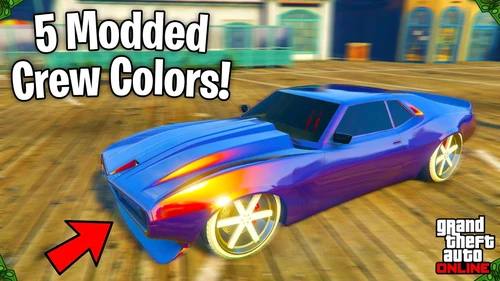
Step 4: Purchase and Receive Modded Cars from MessyModdingStore
MessyModdingStore makes this step easy:
-
Browse their selection of GTA 5 modded cars.
-
Choose the cars you want and complete the checkout process.
-
Receive your modded cars instantly, often within hours.
The benefit? No complex downloads or installations—your cars are delivered ready to use, safely integrated with your account.
Step 5: Install Modded Cars in GTA 5
If you’re using MessyModdingStore, installation is simple:
-
PC: Your modded cars are often delivered via account login. Simply follow the provided instructions to access them in-game.
-
Console (PS/Xbox): Modded cars are applied directly to your account, no downloads needed.
Tip: Always back up your game files before adding new cars. Even safe mods benefit from a backup in case of glitches.
Step 6: Test Your Modded Cars in Single-Player Mode
Before heading online, test your cars in single-player:
-
Spawn the modded car in your garage.
-
Drive around Los Santos to ensure performance and features work correctly.
-
Check handling, speed, and any special mods (like rockets or invisibility).
This step reduces the risk of glitches when playing online.
Step 7: Use Modded Cars Safely in GTA Online
Some mods are restricted online, but MessyModdingStore labels which cars are safe for GTA Online. Here’s how to enjoy them responsibly:
-
Do not use cheats that affect other players – Stick to visual or performance mods.
-
Avoid excessive modifications in multiplayer – Too many mods at once can trigger account restrictions.
-
Respect other players – Keep the experience fun for everyone.
Step 8: Maintain and Upgrade Your Modded Cars
To keep your modded cars performing at their best:
-
Regularly update – Check MessyModdingStore for updates or new versions.
-
Repair damaged vehicles – Even modded cars can crash in-game.
-
Experiment with new mods – Add visual or gameplay mods to enhance your experience.
Tip: A well-maintained modded garage can make GTA Online more exciting and competitive.
Step 9: Enjoy the Benefits of GTA 5 Modded Cars
Once installed, modded cars unlock a new level of gameplay:
-
Faster races and better performance – Beat your friends in speed challenges.
-
Creative freedom – Customize every car to reflect your style.
-
Unique gameplay experiences – Rocket cars, flying vehicles, or invincible rides make missions and stunts more fun.
-
Safe and stress-free experience – MessyModdingStore ensures your mods are verified, tested, and ready to use.
Step 10: Expand Your Modded Car Collection
GTA 5 is constantly evolving, and so should your garage:
-
Check MessyModdingStore regularly for new modded cars.
-
Mix different types of mods for variety: visual, performance, or gameplay enhancements.
-
Participate in online car shows or races using your custom vehicles.
A diverse garage keeps GTA 5 fresh and exciting for hours.
Why MessyModdingStore Is the Best Choice
MessyModdingStore isn’t just a store—it’s a trusted solution for GTA 5 modded cars. Here’s why:
-
Safe and verified mods – No risk to your account.
-
Instant delivery – Start using your cars in minutes.
-
Wide selection – From classic muscle to futuristic supercars.
-
Cross-platform support – Works on PC and consoles.
-
Friendly customer service – Assistance whenever you need it.
By using MessyModdingStore, you skip the hassle of mod hunting and get straight to the fun.
Final Thoughts: How to Master GTA 5 with Modded Cars
Getting modded cars in GTA 5 doesn’t have to be complicated. By following these step-by-step instructions and relying on MessyModdingStore, you can safely enhance your gameplay with:
-
Speedy, high-performance vehicles
-
Visually stunning cars with custom mods
-
Rare and exclusive vehicles
-
Fun gameplay-enhancing features
Where to Get GTA 5 Modded Accounts in 2025 (eBay, Xbox, PS4, PS5, and More)
GTA 5 Modded Accounts – Are They Worth the Investment in 2025?
🚗 GTA 5 Modded Cars – The Complete Guide to Custom Vehicles in Los Santos
