
A lot of older advice still describes Xenoverse 2 on PS5 as a PS4 game running through backward compatibility. That stopped being the whole story on 24 May 2024, when Bandai Namco released native PlayStation 5 and Xbox Series X|S versions alongside Future Saga Chapter 1. If you play on PS5 and want a modded save, the version you launch matters, so this guide covers how the native release works, how to upgrade for free, and what to tell us before delivery.
The native PS5 version in brief
Bandai Namco's launch announcement described the new versions as offering improved graphics and performance, calling them the best way to experience Conton City. Owners of the PS4 version can upgrade at no cost through PlayStation's free upgrade program, and Xbox One owners get the equivalent through Smart Delivery. When the release was first announced in March 2024, Bandai Namco also said that saved data could be transferred from the PS4 version to the PS5 version.
The two builds are patched in step but numbered differently. The November 2024 update, for example, was version 1.43 on last-generation consoles and 1.002.001 on PS5 and Xbox Series, and the August 2026 fix patch was 1.53 and 1.005.001 respectively. If you ever compare patch numbers with a friend, that is why they do not match.

Three ways to play on PlayStation
| Setup | How you get it | What to tell support |
|---|---|---|
| PS4 version on a PS4 | The original release | PS4 console, PS4 version |
| PS4 version on a PS5 | Runs through backward compatibility | PS5 console, but PS4 version; consider upgrading first |
| Native PS5 version | Free upgrade for PS4 owners, or a PS5 purchase | PS5 console, PS5 version |
The middle row is the one that causes confusion. A PS5 will happily run the PS4 build, so it is possible to play on PS5 for months without noticing you never installed the upgrade. Because the save is applied to the version you actually play, getting this right before ordering avoids a delivery to a version you then abandon.
Not sure which one you have? On a PS5, games from the previous generation carry a small PS4 label on their tile in the game library and on the home screen. If your Xenoverse 2 tile shows that label, you are launching the PS4 build. Once you have claimed the upgrade, your library can list both versions side by side. Two entries for the same game is normal; just make sure you know which one you open every evening, and tell support that one.
Upgrading before you order
If you own the PS4 version and play on PS5, it is worth upgrading first. Find Xenoverse 2 in your library, choose the PS5 version and download it. Sony's general rule for free upgrades is that a digital PS4 copy upgrades directly, while a disc copy needs a PS5 with a disc drive and the disc inserted to keep playing the upgraded version. Once it is installed, launch it once, let it update to the latest patch, and check that the DLC packs you own appear for the PS5 version as well.
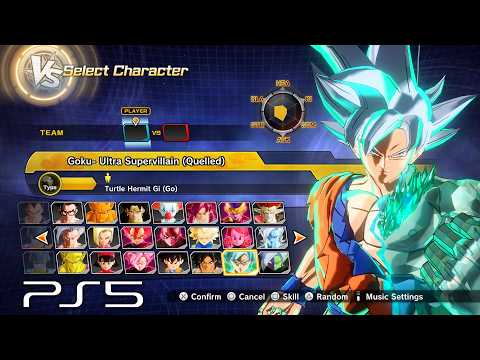
If you have existing progress on the PS4 version you care about, Bandai Namco's announced save transfer is the official route to move it across. Creators such as TANKdGAMER and SLOplays published walkthroughs of the process after launch, and our modded save transfer guide explains how that fits with a store delivery.
How delivery works on PS5
Nothing about delivery changes on PS5. You enter handover details for the account you play on, the team logs in, moves the save across and messages you once it is finished. The one PS5-specific step is on your side: write "native PS5 version" in the order notes, so there is no doubt about which build should receive the data, and keep Xenoverse 2 closed on every console until the confirmation arrives.
Afterwards, be careful with cloud storage. If your console automatically syncs saves with PlayStation Plus cloud storage, make sure the delivered save is the one being kept and that an older cloud copy does not replace it. Our safety guide covers account security around the handover.
About the "backward compatible" wording
You will still see PS5 support described as backward compatibility in older guides, videos and store listings. That description was accurate before May 2024. Today the more useful answer is that Xenoverse 2 runs on PS5 either way, and the native version is a free upgrade worth taking. The product supports both PS4 and PS5, so the important thing is simply telling support which one you use.
With the version sorted, ordering takes a few minutes on the Xenoverse 2 modded save page, where the save costs $50 whichever PlayStation you use. Xbox owners are not covered by this product and will find their options in our Xbox and PC guide.
Frequently Asked Questions
Is there a native PS5 version of Xenoverse 2?
Yes. Bandai Namco released native PS5 and Xbox Series X|S versions on 24 May 2024, with improved graphics and performance. Before that, PS5 players ran the PS4 version through backward compatibility.
Is the PS5 upgrade free?
Bandai Namco's announcement says PS4 owners can upgrade at no cost through PlayStation's free upgrade program. Sony's usual rule is that disc copies need a PS5 with a disc drive and the disc inserted.
Does the modded save work on the native PS5 version?
The product is listed for PS4 and PS5. Tell support which console and which version you play when you order so the save goes onto the version you actually launch.
Can I move my PS4 progress to the PS5 version?
Bandai Namco announced that saved data can be transferred from the PS4 version to the PS5 version. Keep in mind that a delivered modded save is a complete eight-character file, so it will take the place of whatever progress is there.
Why do PS4 and PS5 patch numbers differ?
The versions are numbered separately. The August 2026 fix, for example, was 1.53 on last-generation consoles and 1.005.001 on PS5 and Xbox Series.