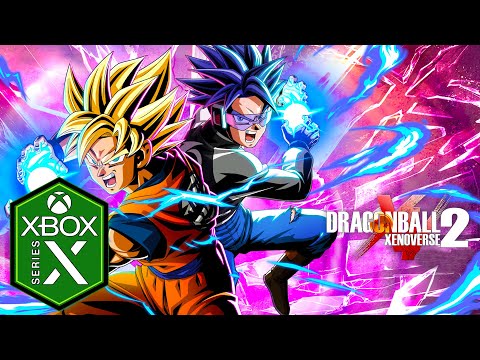
If you play Xenoverse 2 on Xbox or PC, here is the short answer first: our modded save is not available for your platform. The product listing says it works on PS4 and PS5 and is not available for PC or Xbox, and that is not something an order note can work around. The rest of this page explains why, how the versions line up, and what Xbox and Steam players can realistically do if they want a finished account.
Why the save is PlayStation only
The save is delivered by account handover: the store team signs in to a PS4 or PS5 account and transfers the save directly onto that profile. That process is built around PlayStation, and the product is sold and supported on that basis. A PlayStation save also does not become an Xbox or Steam save by being copied across, because each version keeps its data in its own platform's storage and accounts.
So if you see anyone offering to put a "PS4 save" onto an Xbox or a Steam install, treat it as a warning sign rather than a deal. Our safety guide lists that among the red flags to watch for.
How the versions line up
Xenoverse 2 launched on PS4, Xbox One and PC through Steam, and later came to Nintendo Switch. On 24 May 2024 Bandai Namco added native PS5 and Xbox Series X|S versions, with a free upgrade for existing owners: PlayStation's free upgrade program on one side, Smart Delivery on the other. Content updates arrive across platforms, so the Future Saga chapters and the July 2026 cap raise to 199 reached Xbox and PC too.
| Platform | Version you play | Our modded save |
|---|---|---|
| PS4 | Original PS4 release | Supported |
| PS5 | Native PS5 version since May 2024, or the PS4 version via backward compatibility | Supported |
| Xbox One | Original Xbox One release | Not available |
| Xbox Series X|S | Native version since May 2024 through Smart Delivery | Not available |
| PC (Steam) | Steam release | Not available |
| Nintendo Switch | Switch release | Not available |

Options for Xbox players
Without a modded save, the realistic route on Xbox is the legitimate one, made as efficient as possible. Upgrade to the Xbox Series X|S version through Smart Delivery if you have the console, then focus on the systems that gate everything else: TP Medals for levels past 80, Parallel Quest drops for skills, and the Expert Mission ladder. Our TP Medals guide, leveling guide and build guide all apply to Xbox exactly as they do to PlayStation.
If you own a PlayStation as well, the other option is to buy the PS4 or PS5 version and use the save there. That is a separate purchase of the game, though, and there is no official cross-platform progression to carry characters between Xbox and PlayStation, so it only makes sense if you were planning to play on PlayStation anyway.
Options for PC players
The Steam version has something the consoles do not: a long-running modding scene, with creators publishing guides to mod packs and installers to this day. Those community tools are nothing to do with our store, and using them is your own decision. Two cautions are worth knowing. Bandai Namco added an anti-cheat check to the PC version in October 2017 that compares game files with the official ones, and its 2018 warning about hacking said action could be taken against people who hack the game. If you mod a PC install, keeping it away from online play is the cautious approach.

A legitimate roadmap that mirrors the save
Even without the product, its contents make a handy target list for an Xbox or Steam account. Work through it in an order that unlocks the most for the least effort:
- Open the 199 cap first. The Chapter 4 update ties the new cap to an in-game event, and once one character clears it, every other avatar can level to 199 as well.
- Climb the Expert Mission ladder early. Each mission needs a ranking on the one before, earned by hosting, so start while you have a regular group to play with.
- Let Parallel Quests do double duty. Many skills, outfits and even battle stages are tied to specific quests, so pick quests that cover several gaps at once.
- Leave Hero Colosseum for downtime. Figure collecting rewards steady play over long sessions, which suits evenings when you do not want a hard fight.
The full list of what the PlayStation save contains is in our unlock all checklist, and it doubles as a completion tracker for any platform.
Steam players who also own a PlayStation
A few PC players own Xenoverse 2 on both Steam and PlayStation. In that case the PlayStation copy is the one our save can go on, and your Steam progress stays exactly where it is. Treat them as two separate games with separate characters; nothing moves between them in either direction.

If you play on PlayStation after all, the save is $50 for PS4 and PS5; the Dragon Ball Xenoverse 2 hub lists it alongside the platinum trophy service, and the PS5 guide explains which version to tell support about.
Frequently Asked Questions
Is there a Xenoverse 2 modded save for Xbox?
Not from our store. The listing states the save works on PS4 and PS5 and is not available for Xbox or PC.
Can a PS4 save be converted for Xbox Series X|S or Steam?
No. Each platform keeps its save data tied to its own storage and accounts, and there is no official cross-platform progression in Xenoverse 2. Treat any offer to convert a PlayStation save as a warning sign.
Did Xbox get the native next-gen version too?
It did. The Xbox Series X|S version launched the same day as the PS5 one, 24 May 2024, and Smart Delivery hands it to Xbox One owners at no extra cost.
Is modding the PC version safe online?
Nobody can promise that. The PC version received an anti-cheat check in October 2017, and Bandai Namco has warned that hacking can lead to action against players. If you mod, keep it offline.
Will Xbox or PC support be added later?
Nothing in the listing suggests it. If that changes, it will show on the product page and the Xenoverse 2 hub, so check there rather than relying on promises from anyone else.