
Quests are Discord's opt-in sponsored challenges: you play a game, stream it to a friend or watch a video, then claim a reward, and many of those rewards are Orbs. Orbs are Discord's virtual reward points, which you spend in the Orbs Shop on Nitro credits, exclusive avatar decorations and profile effects, an Orbs profile badge and select items from the main Shop. Here is how both systems work as of November 2026, including the Nitro multiplier, the monthly Orbs drop for subscribers and the limits worth knowing before you start grinding.
We checked this against Discord's Help Center articles on Quests, Orbs, Nitro credits, the monthly Orbs drop, the Nitro Quest perk, the PlayStation connection and the refund policy, plus Discord's July 2025 Orbs launch announcement and blog post, in November 2026.
What Quests Are and How They Work
Discord is upfront about what Quests are: its Quests FAQ calls them a rewarded ad format, where players earn rewards for engaging with games and content and advertisers reach an audience. Taking part is entirely opt-in, every Quest has a set window for accepting and finishing it, and each one comes with its own promotion terms you can read on the Quest page.
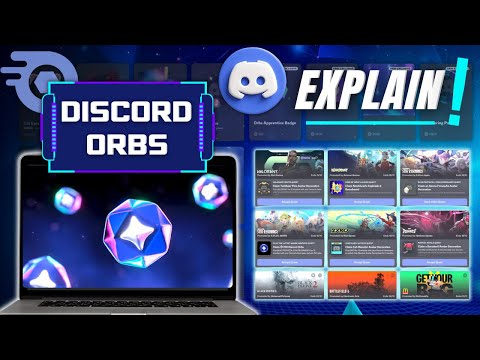
There are two main kinds. Play Quests ask you to play a game for a set time, such as 15 minutes, while logged into the Discord desktop app; to stream that game to at least one friend in a voice channel for a set time; or to link your Discord account to the game and finish a specific in-game task, like playing 3 matches. That last type relies on the developer reporting your progress, so Discord warns rewards can take up to 36 hours to arrive. Video Quests ask you to watch a trailer or video in the desktop app or a browser. The video pauses if you switch windows, but your progress is saved so you can come back to it.
Discord is also experimenting with Cloud Play Quests, which have their own steps listed on the Quest card. Whatever the type, each eligible user can complete each available Quest once.
Finding, Starting and Claiming a Quest
On desktop there are two ways in. A Quest bar sometimes appears in the bottom-left of the app when you are eligible; hover over it and press Accept Quest for a Play Quest or Start Video Quest for a Video Quest. For the full list, select the Discover icon at the bottom of the server list and open the Quests tab, which Discord calls Quest Home.
On mobile, Quests are still in beta and limited to specific ones. You can tap the mobile Quest bar, or go to your avatar, then Settings, then Quests; tapping your Orbs balance also leads to available Orb Quests. Some Quests only work on desktop or only on mobile, and the app tells you which when you start.
When the progress bar fills, claim your reward from the Quest bar or from Quest Home with the Claim Reward button. Discord-specific rewards such as Orbs or avatar decorations are added to your account automatically once you claim them. Rewards for partner games arrive as a redemption code, with the game's redemption site listed in the Quest and an email sent with instructions. Your first completed Quest also adds the Quests badge to your profile, which our Discord badges guide covers along with the others.
How Orbs Work
Orbs are a reward currency you earn, not one you buy. Discord's Orbs FAQ says they come from completing Quests and from select promotions, and that you cannot buy Orbs, gift them, trade them, transfer them between accounts or convert them to real money. Discord launched Orbs globally on July 14, 2025, after a seven-week pilot, making them available to what it described as more than 200 million monthly active users.

A few rules shape how you should treat your balance:
- Orbs do not expire once earned, although Discord reserves the right to adjust the program to keep it balanced.
- They are tied to one account. If you lose access to that account, including through a ban, you can lose the Orbs with it.
- Selling Orbs breaks the Discord Orbs Terms. Discord asks users to report anyone offering to sell or trade them, and accounts involved can be penalized.
- Some users received Orbs for linking Riot Games or Battle.net accounts, which may explain an unexpectedly high balance.
Your running total sits in the top-right corner of both Quest Home and the Shop. Do not expect every Quest to pay the same: Discord's Quests FAQ says Orb amounts vary by Quest type and can be updated as the program evolves, while Orbs keep unlocking the same kinds of features and items. Checking the reward before you accept saves time on Quests that pay little.
Discord is also testing Orb Challenges on desktop and browser, which reward specific actions on Discord rather than sponsored Quests. They are not widely available yet, vary by user, and purchases made with Orbs do not count toward challenges that involve buying something.
What You Can Spend Orbs On
Spending happens in the Shop. On desktop, select the Discord icon in the upper-left, open the Shop tab and choose Orbs Shop at the top. On mobile, open the Shop from your profile, tap the Shop menu icon and pick Orbs Exclusives. Items fall into two groups:
- Orbs exclusives: Nitro credits, an Orbs profile badge, and a special avatar decoration and profile effect that cannot be bought with money.
- Orbs-eligible items: select popular items from the main Shop that show both a money price and an Orb price. When you have enough Orbs, the Shop shows the Orb price first.
Some things are off limits: gifts, partner-branded Shop items, and recurring Nitro or Server Boost subscriptions cannot be paid for with Orbs. Every Orbs purchase is final, and Discord's refund policy confirms it cannot refund anything bought with Orbs.
Nitro credits are the headline item. Discord's launch post described them as 3-Day Nitro credits, and the Nitro Credits FAQ explains the mechanics: credits give Nitro for a limited time, stack if you earn several, never expire while waiting and never turn into a recurring charge. They activate immediately if you have no subscription, or at the end of your billing cycle if you do. They also leave out a few perks, namely the 2 included Server Boosts, the Boost discount, the Nitro profile badge and Share Nitro, and you cannot buy new Boosts while they are active. Credits can only be claimed on desktop or browser, though the perks then work everywhere. If you already pay for Nitro, our guide to cancelling Nitro explains how credits interact with a subscription.
How Nitro Changes the Orbs Math
Subscribers earn faster in two ways. First, Nitro members get a 1.2x multiplier on Orb rewards from Quests that started on or after May 8, 2026; Discord labels this perk a beta. It applies to paid, trial and gifted Nitro, but not to Nitro obtained through credits or to Nitro Basic.
Second, a Monthly Orbs Drop adds 250 Orbs to eligible Nitro accounts each month, deposited automatically. It is still rolling out through an experiment group and needs a paid Nitro subscription bought on desktop, browser or mobile web that is in good standing. Gifted Nitro, Nitro through credits, Nitro Basic, Nitro Classic and partner trials are excluded, and Orbs already earned stay with you if you cancel.
Nitro also changes what Quest decorations are worth. Decorations earned from Quests normally last two months, while subscribers on the standard Nitro plan can keep many of them longer. Our avatar decorations guide covers that perk, and our Nitro price breakdown helps you judge whether the subscription pays for itself in Orbs.
Limits and Common Problems
When a Quest will not cooperate, check it against this list of documented limits:
- Daily cap for teens. Users aged 13 to 17 can complete three Quests per day, and a 24-hour timer starts when the third one is finished. Rewards for Quests already completed can still be claimed.
- Region. Some Quests are not available in certain regions, and Discord's premium services are restricted in some places.
- Linux. Discord says Quest rewards currently cannot be earned on Linux devices and recommends Windows or macOS instead.
- VR headsets. Quests are not supported on Meta VR headsets.
- A stuck progress bar. Restart the app and install any available update, which Discord says should get progress tracking again.
- PlayStation Quests. Your PlayStation privacy settings must let Anyone see your online status and what you are playing, which conflicts with hiding console activity; our guide on hiding game activity explains the tradeoff.
If Quest promotions annoy you, you can hide a specific one through the menu on the promotion and choose Hide This, or turn off personalized Quest promotions in Data & Privacy. Either way, Quest Home under Discover still lists everything you are eligible for.
When Orbs Are Not Enough for Nitro
Orbs make short stretches of Nitro possible without paying, but credits run out quickly and leave out the included Boosts. If you want Nitro for longer, the store's Discord page lists full-access accounts with Nitro already active, typically for one to three months, and many of those listings include the two Server Boosts that come with full Nitro.
For every official route, our existing guide on how to get Discord Nitro covers subscriptions, gifts and promotions.
Frequently Asked Questions
How do you get Orbs on Discord?
Complete Quests that list Orbs as the reward, then claim them from the Quest bar or Quest Home. Select promotions also grant Orbs, and eligible Nitro subscribers receive a monthly drop of 250 Orbs.
Can you buy Discord Orbs?
No. Orbs cannot be bought, gifted, traded or transferred between accounts, and Discord asks users to report anyone trying to sell them.
What can you buy with Discord Orbs?
Nitro credits, an Orbs profile badge, an Orbs-exclusive avatar decoration and profile effect, and select Shop items that show an Orb price. Gifts, partner items and recurring subscriptions are excluded.
Do Discord Orbs expire?
No. Earned Orbs stay in your account until you spend them, though you can lose them if you lose access to the account, and Discord may adjust the program over time.
Why is my Discord Quest not progressing?
Restart Discord and install updates first. Play Quests need the desktop app running, Linux cannot earn Quest rewards, and PlayStation Quests need your PSN privacy set so Anyone can see your status.
How many Discord Quests can you do per day?
Each Quest can be completed once. Users aged 13 to 17 are capped at three Quests per day; Discord's FAQ lists no daily cap for adults beyond the available Quests themselves.