
You can delete a trophy list on PS5 only if you have not earned a single trophy in that game; once even one Bronze has unlocked, the list stays on your account for good. For a 0 percent list, the delete option sits in the game's Options menu inside Trophies, and the PlayStation App can do the same job from your phone. This page covers the exact steps on PS5, PS4 and mobile, what does and does not remove trophies, and the privacy settings to use when deletion is not available.
We checked this against PlayStation's support pages for trophies, privacy, hiding games and Safe Mode, plus the PS4 user's guide, in November 2026.
The One Rule: Zero Earned Trophies
PlayStation's trophy support page is direct about it: you can only delete a game's trophy information if you have not earned any trophies in it. The PS4 user's guide words it the same way, describing the delete option as being for trophies that have no achievement progress. There is no exception for embarrassing games, accidental launches that popped a starter trophy, or lists you regret. Once something has unlocked, the list is permanent.

This is why trophy hunters are careful about what they start. A game that hands out a Bronze trophy within the first minute, for finishing a tutorial or changing a setting, will lock its list onto your profile the moment you try it. If you are not sure you want a game on your list, look up its first trophy before you press start.
It also explains why the rule rarely causes real trouble. The lists people most want gone are usually the ones they barely touched, and those are exactly the lists that qualify, as long as nothing has popped yet.
Older platforms follow the same logic. The Sixth Axis noted at the PS5's launch that trophies carry over from PS3, PS4 and PS Vita, so your PS5 trophy screen can show lists from three console generations. A PS3 game you opened once in 2012 and never earned anything in is just as deletable as a PS5 demo from last week, while a Vita list with a single Bronze is just as permanent as a finished platinum. Age does not change the rule in either direction.
How to Delete an Empty Trophy List
PlayStation's support page gives three routes. All of them only show the option for lists at 0 percent.
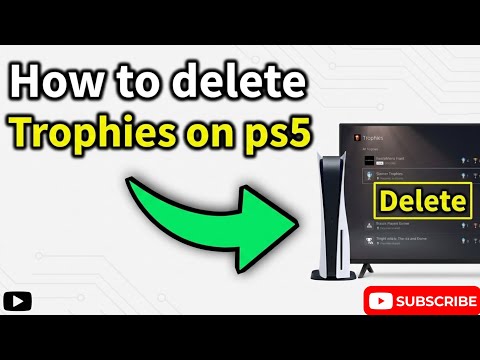
- On PS5: select your profile picture on the home screen, choose Trophies, select the game, press the Options button and choose Delete.
- On PS4: open Trophies from the function screen, select the game, press OPTIONS and choose Delete.
- In the PlayStation App: go to your Profile, then Trophies, select the game and choose Delete.
Deletion applies to your account rather than to one device, so removing a list from your phone clears it from your console's trophy screen too once things sync. If the Delete option does not appear for a game you believe you never played, open the list and look closely. A single unlocked trophy, sometimes from years ago on an older console, is enough to hide the option.
If you only want to tidy up what you see, sorting is the gentler tool. The PS4 guide notes you can sort trophies by earned date or grade from the Options menu, and the PS5 trophy screen offers a sort option as well, which can push untouched lists out of the way without removing anything.
Why Empty Lists Appear in the First Place
An empty list usually arrives when a game is started on your account, even for a moment. Demos you tried, a game you launched to check performance, a free monthly title you opened once, or a disc a friend lent you can all leave a 0 percent entry behind. On a shared console, a game started while your profile was active also counts as yours.
Cross-generation games can double the clutter. Many have a PS4 list and a separate PS5 list, so launching both versions to compare them leaves two entries, and if you earned a trophy on one, only the other can be deleted. Classic titles are another source: Push Square reported in May 2022 that PS1 games in PS Plus Premium with trophy support have separate PS4 and PS5 lists with identical content.
None of these empty lists change your trophy level, because a list with nothing earned contributes zero points. Our guide to how the PS5 trophy level is calculated shows the full point math, but the short version is that deletion is purely cosmetic for your level.
Shared consoles deserve a special mention. PlayStation's support page on Console Sharing and Offline Play explains that, when the setting is enabled, anyone who uses your PS5 can play your purchased and downloaded games. That is convenient for a household, but every person should play on their own profile. If a sibling launches a game while your account is the active user, the list lands on your profile, and if they earn a trophy in it, you cannot delete it afterward. A quick check of who is signed in before handing over the controller avoids the problem entirely.
What Does Not Remove Trophies
A lot of people assume clearing a game from the console clears its trophies. It does not. Trophies are saved to the system and synchronized automatically with the PlayStation Network server, as the PS4 user's guide describes, so what lives on your account is separate from what is installed on any one box.
- Uninstalling the game removes the game data, not the trophies you earned in it.
- Deleting save data removes your progress, but earned trophies stay on your list.
- Restore Default Settings in Safe Mode returns settings to factory values and, according to PlayStation's Safe Mode page, leaves games, apps, captures and saved data on the console.
- Reset PS5 deletes all user data on that console, but trophies that already synced remain on your account and reappear when you sign in again.
That last point carries a warning in the other direction. If you earned trophies offline and they have not synced yet, resetting the console before a sync could lose them. Run Trophies, then Options, then Sync Trophies before any reset, which is the PS5 sync path PlayStation's support page lists. If trophies you expected are missing after a sync, our checklist for PS5 trophies that did not unlock walks through the likely causes.
When You Cannot Delete: Privacy Options Instead
For lists with earned trophies, the official alternative is controlling who sees them. PlayStation's privacy support page gives the PS5 path as Settings, then Users and Accounts, then Privacy, where you can pick a preset or open View and Customize Your Privacy Settings. Under your activity, the controls include "Who can see your gaming history" and "Hide your games from other players," and the same settings can be edited on the web through Account Management.
Do not confuse that with hiding a game in your library. PlayStation's support page on hiding games says that hiding a title from Game Library, under Your Collection, hides it from your library on all consoles but does not affect your profile. It tidies your own shelf and nothing more.
If what you actually want to hide is spoilers rather than games, that is a different feature again. Our guide to hidden trophies on PS5 explains how the Reveal All toggle works and how to keep story entries covered.
Cleaning Up a Profile the Right Way
Most people who search for trophy deletion are really trying to make their profile look the way they want. Since earned lists cannot be removed, the better long-term approach is to manage what you start and to finish what matters to you.
- Check the first trophy before launching anything you might not keep. A quick look at a game's list tells you whether a trophy pops in the opening minutes.
- Delete empty lists promptly. The sooner you remove a 0 percent list, the less likely it is to pick up a stray trophy later.
- Use privacy settings for anything you would rather keep to yourself. It is the only official tool for earned lists.
- Freshen the parts of the profile you can change. Your avatar, profile picture and cover image are all editable. Our guide to PS5 avatars covers where to find them and how custom pictures work.
Some hunters also keep a short list of games they intend to finish soon, and leave everything else uninstalled until they are ready. That habit alone prevents most accidental 0 percent entries, because you only launch what you mean to play.
Finishing Lists You Cannot Remove
Since a list with earned trophies cannot be deleted, the other way to stop it sitting half-finished on your profile is to complete it. If you are looking at a pile of stalled lists and not much free time, the store's PlayStation trophy section gathers its platinum and trophy services for PS3, PS4 and PS5 games, each with a product page that describes how trophies are added and which consoles it covers.
Read the page for your specific game and console before choosing, since the services differ in scope and timestamp options. For lists you would rather finish yourself, the cleanup habits above keep new clutter from building up while you work through the backlog.
Frequently Asked Questions
Can you delete trophies on PS5?
Only for games where you have earned nothing. Select the game in Trophies, press Options and choose Delete. Lists with any earned trophy cannot be removed.
How do I delete a 0% trophy list from the PlayStation App?
Open your Profile, go to Trophies, select the game and choose Delete. The option only appears for lists with no earned trophies.
Does uninstalling a game remove its trophies?
No. Earned trophies sync to your PlayStation Network account and stay there after the game and its save data are gone.
Can Sony remove a trophy list for me?
PlayStation's support page only describes self-service deletion for lists with no earned trophies. For earned lists, the documented option is adjusting privacy settings.
Do empty trophy lists lower my level?
No. A list with nothing earned adds zero points, so it has no effect on your trophy level either way.
Why is the Delete option greyed out or missing?
At least one trophy in that game is already earned, possibly on an older console. Check the list for any unlocked entry.