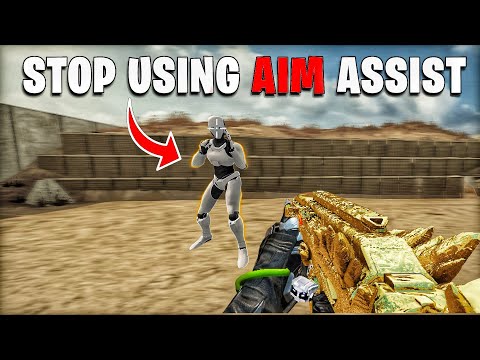
Blood Strike has aim assist, but how much you get depends on your device: it is a core part of touch aiming on phones and tablets, NetEase tunes it weapon by weapon, and mouse players on PC get none. Whether a controller on PC receives aim assist is where sources disagree, with a March 2025 Steam discussion saying it did not and a November 2026 platform guide saying it now does, toned down in ranked. This guide sets out what NetEase has officially changed, how to check your own setup, and which controller and sensitivity settings make the biggest difference.
We checked this against NetEase's official version update announcements on the Blood Strike site and Steam, the Steam and App Store listings, a Steam community discussion and a November 2026 platform guide from a Blood Strike guide site, all in November 2026.
How Aim Assist Works in Blood Strike
NetEase has never published a full technical description of its aim assist, but its patch notes show how the team thinks about it. The clearest example came on 16 April 2026. The developers said the QBZ95 and M1887 "perform very well on PC, but are harder to use on mobile", and raised the aim assist coefficient for those two weapons on mobile only. That one sentence tells you three things: aim assist strength is set per weapon, it is tuned separately for mobile, and the goal is to narrow the gap between touch players and mouse players who share the same lobbies.

A second note from 10 February 2026 shows the limits NetEase enforces. Players had discovered that tapping the fire button rapidly triggered a stronger aim assist than holding it. The update fixed that, stating that you can no longer get a stronger assist by tapping fire quickly. If you learned that trick from an older video, it no longer works, and the normal hold-to-fire pattern is now the intended way to use the assist.
Because the coefficient differs by gun, aim assist can make a weapon feel very different on a phone than on a PC, and a gun you dismissed on one device may suit you on the other. If you are choosing a loadout mostly on touch controls, it is worth testing those two in the Training Ground before writing them off; our best guns guide covers how they sit in the wider meta.
Aim Assist on PC and With a Controller
On PC with a keyboard and mouse there is no aim assist, and nobody we found disputes that. The open question is controllers. In a Steam discussion on 21 March 2025, a player complained that mobile aim assist was too strong, and another replied that the current update did not allow aim assist on PC even with a controller. That was the state of things shortly after the Steam release.
A platform guide updated on 4 November 2026 says that controllers on PC now get aim assist to make up for thumbstick precision, and that players report it is toned down in ranked modes. NetEase's own notes do not include a line we could find announcing PC controller aim assist, so we cannot confirm the exact date or strength. The practical answer is to test it yourself: plug in a controller, open the Training Ground, track a moving target slowly, and compare the feel with the controller settings menu open in another session. If the reticle slows or drags on targets, assist is active on your build.
This matters for crossplay, because PC and mobile players share lobbies and the input mix affects fairness. Our crossplay explainer covers how the game marks PC and mobile players and the long-running debate about touch aim assist versus mouse precision.
Controller Support by Platform
Controller support exists on both mobile and PC, but it has grown in steps rather than arriving all at once. Here is what the store listings and official notes confirm as of November 2026.

- iPhone and iPad: the App Store listing shows controllers as supported, naming PlayStation, Xbox and MFi controllers.
- Android: the November 2026 platform guide says basic support was added for Xbox controllers in Battle Royale and Ranked Battle Royale on mobile. Other modes may still expect touch input.
- Steam: the store page tags the game with controller support, without describing how complete it is.
- NetEase PC client: an official version of the same game as the Steam release, so expect the same controller menus.
- Consoles: there is no PlayStation, Xbox or Switch version, so a controller on PC is the closest console-style setup.
NetEase keeps adding controller-specific options. The 4 September 2025 update added Tactical Stance sensitivity settings, for both camera and firing, under Settings, then Sensitivity, then the Controller tab. The 20 October 2026 update improved the controller Auto Sprint setting so that pushing the left stick into the trigger range now activates Tactical Sprint automatically, which removes one of the most awkward button presses on a gamepad.
Sensitivity Settings That Matter Most
Aim assist helps, but sensitivity decides whether you can use it. Blood Strike splits sensitivity into several menus, and getting them consistent is the biggest single improvement most players can make.
- Camera sensitivity: how fast your view turns when you are not shooting. Set this first, high enough to turn around quickly in a building.
- Firing sensitivity: how fast your view moves while shooting. It controls recoil management, and PC players got a dedicated Firing Sensitivity setting in September 2025.
- Tactical Stance sensitivity: separate camera and firing values for the tactical stance, in both the Slide (touch) and Controller tabs since September 2025.
- Global Sensitivity Sync: a toggle that applies one adjustment to every sight at once. Turn it on while you find your base value, then turn it off to fine-tune individual scopes.
- Third-person turning: the September 2026 update added a No ADS turning sensitivity for TPS mode, so you can tune camera speed in third person without affecting first person.
Movement settings also affect aiming. If you play Katya, a September 2025 option under Gameplay, then Move, lets you choose how she enters wall climbing while airborne: automatically, by holding jump, or by tapping jump again in mid-air. The default is hold. Setting it to a method you will not trigger by accident keeps your crosshair where you want it during fights near walls.
Why Third-Party Aim Tools Are a Bad Idea
Searches for aim assist often lead to "aim config" downloads, macro profiles and programs that claim to boost assist. Avoid all of them. In November 2024 NetEase announced it had banned third-party devices that some players were using to gain an unfair advantage, and it said it would keep watching for them. NetEase's Terms of Use, in Section 4.5(a), also prohibit cheats, bots, hacks, mods and any other unauthorized third-party software, so tools that inject into the game or fake inputs put your account at risk for no lasting gain.
The legitimate ways to improve aim are all in the settings menu and the Training Ground. Every option in this guide is an official setting, and none of them requires anything outside the game.
A Practical Setup Routine
Here is a routine that works for touch, controller and mouse players alike. Do it once, then adjust only one value at a time afterwards.
- Open Settings and turn on Global Sensitivity Sync.
- In the Training Ground, set camera sensitivity so a full turn feels quick but you can still stop on a target.
- Fire full-auto at a wall with your main rifle and raise or lower firing sensitivity until you can hold the recoil inside a small area.
- Turn off Global Sensitivity Sync and adjust high-zoom scopes slightly lower than your base value.
- On a controller, enable Auto Sprint and set Tactical Stance sensitivity close to your normal values.
- Play a few casual matches before changing anything else, then tweak one setting per session.
If you are moving from phone to PC, remember that your touch values do not translate to a mouse or a stick, so expect to repeat the routine on each device. Our PC setup guide covers the keyboard-specific options and how to link your phone account so your progress comes with you.
One last habit pays off over time: after every major update, glance at the patch notes for weapon or input changes before your first ranked match. A recoil change, a new attachment or an aim assist adjustment can make values that felt perfect last week feel wrong, and it is much easier to retune in the Training Ground than to figure it out mid-match while losing points.
Skip the Early Grind
Dialing in aim takes time, and so does unlocking the weapon levels and attachments that make recoil easier to control. If you would rather start with an account that already has progress, the Blood Strike page of the store lists accounts from marketplace sellers, and each listing states its server, rank and items, so check them carefully. Be aware that NetEase's Terms of Use say you may not share, sell or transfer your account without its prior consent.
Frequently Asked Questions
Does Blood Strike have aim assist on mobile?
Yes. NetEase tunes mobile aim assist per weapon, and in April 2026 it raised the coefficient for the QBZ95 and M1887 on mobile.
Does Blood Strike have aim assist on PC with a controller?
Reports differ. A March 2025 Steam discussion said no, while a November 2026 guide says controllers now get aim assist, reduced in ranked. Test it in the Training Ground on your build.
Can I turn off aim assist in Blood Strike?
Check the Settings menu on your device. NetEase has not published an official description of an aim assist toggle, and options differ between touch, controller and PC.
Which controllers work with Blood Strike?
The App Store lists PlayStation, Xbox and MFi controllers on iOS. On PC the Steam page tags controller support, and Android has basic Xbox controller support in Battle Royale modes.
Does tapping fire give stronger aim assist?
Not anymore. The 10 February 2026 update fixed the bug that let rapid tapping trigger a stronger aim assist.
What does Auto Sprint do on a controller?
Since 20 October 2026, pushing the left stick into the trigger range activates Tactical Sprint automatically when Auto Sprint is enabled.