The Pokémon GO Web Store is the game's official browser shop at store.pokemongo.com, where you sign in with your game login and buy PokéCoins, items, event tickets and web-only boxes that are delivered straight into the app. Its main draw is value: coin bundles bought there include bonus PokéCoins, and several boxes and GO Pass upgrades come with extra items you do not get in the in-game shop. It accepts only Apple, Facebook and Google sign-ins, so Trainers on the Pokémon login need to link one of those first.
We checked this against the live Web Store, the official Pokémon GO news posts for November 2026 and the Scopely Explore Help Center articles on Web Store login, payments, delivery and refunds, all in November 2026.
What the Web Store Is and How to Reach It
Typing pokemongo.com/en/store into a browser now redirects to store.pokemongo.com, the storefront run by Scopely Explore. It works on any device with a browser, including the phone you play on, and anything you buy shows up in the game without extra steps. The original launch post put it simply: once purchased, PokéCoins show up automatically in your Pokémon GO app.

When we loaded the store in November 2026, it was organized into five sections: Recommended For You, Limited Time, Items, PokéCoins and Daily Bundles. The header also links to In-Person Tickets for real-world events, Code Redemption for free offer codes, and Support. The Daily Bundles area holds personalized Mystery Boxes that reset at midnight and require you to sign in before you can see them.
Prices on the page appear in the local currency for your physical location until you log in. After that, the Help Center says you are charged in the currency you normally use for in-game purchases, which is worth knowing if you travel or play on an account set up in another country.
Signing In: Which Logins Work
This is where most people get stuck. The Help Center states that the Pokémon GO Web Store only supports Trainers who sign in with Apple, Facebook or Google. If your account was created with the Pokémon login (now listed in the Help Center as Pokémon Trainer Central), you will not see your login option on the store.
The fix is to add a supported provider to your existing account inside the game: open the Main Menu, tap Settings, and in the Account section tick the "Not Linked" box next to Google, Apple or Facebook. After that, sign into the Web Store with the newly linked provider and your real account loads. Be careful to link to the account you actually play; signing in with a provider that belongs to a spare account will send your purchases there. Our account recovery walkthrough shows how to confirm which providers are attached to which account.
A few other login details from the Help Center:
- You must sign in on the Web Store even if you are already logged into the app.
- Use the sign-in option at the top right, or log in when prompted at checkout.
- Once logged in, your PokéCoin balance shows at the top right, along with your Player Profile and payment history.
- If you signed in with Facebook, logging out of the store means logging out through Facebook itself.
Bonus PokéCoins and Web-Only Boxes
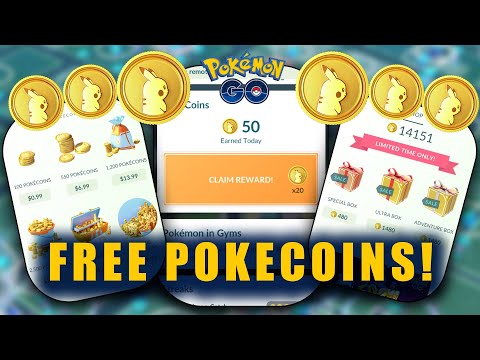
The clearest reason to buy here rather than in the app is the bonus coin amount printed on each bundle. The table below shows the bundle sizes and Web Store bonus coins we saw on the live store in November 2026. We have left prices out because they display in your local currency and change with exchange rates, which the launch post itself warns about.
| Bundle | Web Store bonus coins |
|---|---|
| 110 PokéCoins | 10 |
| 600 PokéCoins | 50 |
| 1,300 PokéCoins | 100 |
| 2,700 PokéCoins | 200 |
| 5,600 PokéCoins | 400 |
| 15,500 PokéCoins | 1,000 |
Beyond coins, the store sells items directly (Lucky Eggs, Star Pieces, Remote Raid Passes, storage and bag upgrades, incubators, Max Particle Packs and more) and runs web-only versions of event purchases. This month's GO Pass page lists the extras:
- GO Pass Deluxe: November bought on the Web Store activates when the pass begins and adds 10 Ultra Balls, five Max Revives, one Premium Battle Pass and five Max Potions.
- Deluxe + 10 Ranks adds the same items but with two Premium Battle Passes.
- The web-exclusive Ultra Box carries 20 Ultra Balls, 10 Max Revives, five Premium Battle Passes and 10 Max Potions.
Two details make the GO Pass upgrades less of a gamble than they look. First, the official November pass page says you can upgrade to Deluxe at any time during the pass and still claim the rewards for ranks you already unlocked, so there is no penalty for waiting to see how much you actually play. Second, a Web Store Deluxe purchase activates as soon as the pass begins, so buying early does not waste days. The November pass runs from November 3 to December 1 at 10:00 a.m. local time, and Deluxe adds 1,000 PokéCoins on top of the 400 on the free track, for 1,400 in total.
The flip side is that Limited Time items on the store are usually marked as purchasable only once, and a few disappear within days. If you see a box you want for a specific event, check the label for how many days are left rather than assuming it will still be there next week.
Event tickets get the same treatment. The official Pawniard announcement says a Community Day Ultra Ticket Box with the event ticket plus five Ultra Balls is coming to the Web Store, and the Clefable Super Mega Raid Day post lists an Ultra Ticket Box that includes a bonus Premium Battle Pass. If you are planning around those dates, our November Community Day guide explains what the Pawniard ticket actually unlocks, and our Dynamax and Max Battles explainer covers why Max Particle Packs are worth a look during the Dynamax Trails event.
Reward Road: Points for Purchases
Some regions also get Reward Road, shown as a GO Rewards section on the store. According to the Help Center, purchases made with real money, whether on the Web Store or in the app, earn Reward Points that unlock in-game rewards. Purchases made with PokéCoins or gift cards, and live event tickets, earn nothing.
To collect, sign into the Web Store with your game login, scroll to GO Rewards and click Claim on anything highlighted. The catch is timing: points expire at the end of each calendar month and do not carry over, and rewards reset at the start of the next month. Child accounts cannot take part, your account has to be in good standing, and points cannot be moved to another account.
Payment, Delivery and Refunds
The store is sold through two distributors, FastSpring and Xsolla, which the Help Center describes as the authorized global distributors of Scopely Explore digital goods. Accepted cards include Visa, Mastercard, Maestro, American Express, Discover and Cash App cards, and some payment apps also appear at checkout. If you see error 3030, that payment method is not available in your region, so try another.
To check whether a purchase arrived, open the menu at the top right of the store, go to Profile and find the transaction. The status tells you what happened:
- Completed means the items were delivered.
- Pending means delivery is still in progress, which can take up to 15 minutes in rare cases.
- Refunded means either you requested a refund or delivery failed and you were refunded automatically, in which case you place the order again.
Refunds go back to the original payment method in the original currency, and requested refunds take up to 14 business days. Refund requests are handled by FastSpring or Xsolla support, so keep your Transaction ID from the Profile page. There is also no price-match: the Help Center says there is currently no price change policy if something you bought later goes on sale.
Why an Item Is Grayed Out
Gray buttons are not a bug. The Help Center lists the usual causes:
- You hit the purchase limit on a limited offer or box. Many Limited Time items on the store are marked as purchasable once.
- You are at the holding limit for an item, which also blocks any box that contains it.
- Your Item Bag is full.
- You lack the required progress, such as a minimum Trainer Level for certain items.
- You do not have enough PokéCoins for coin-priced items.
Clearing bag space or checking the item description usually sorts it out. And if you came here for free items rather than purchases, the store's Code Redemption page is where offer codes go; our Pokémon GO code redemption guide covers which codes are live this month.
Shopping for a Head Start
The Web Store sells items and passes, not progress you have not earned. If you are weighing a bigger jump, our Pokémon GO page carries account listings from third-party sellers, with the selection changing daily. Note that the publisher's Terms of Service (Scopely Explore, last modified July 15, 2026) treat selling or trading accounts as cheating, and the same section also bans sharing accounts.
For most Trainers, the sensible move is to link a Google, Apple or Facebook login today, compare the bonus coins above with what the app offers, and buy event boxes only for events you will actually play.
Frequently Asked Questions
How do I get to the Pokémon GO Web Store?
Go to store.pokemongo.com in any browser and sign in with the Apple, Facebook or Google login linked to your account.
Why can't I log in to the Pokémon GO Web Store?
The store supports only Apple, Facebook and Google sign-ins. If you use the Pokémon login, link one of those three in the game's Settings under Account, then sign in with it.
Is the Pokémon GO Web Store cheaper than the app?
Coin bundles on the Web Store include bonus PokéCoins, from 10 extra on the smallest bundle to 1,000 extra on the largest as of November 2026, and some boxes add items not included in the app version.
How long do Web Store purchases take to arrive?
Usually right away. A Pending status can take up to 15 minutes in rare cases; check the transaction under Profile on the store.
Can I get a refund from the Pokémon GO Web Store?
Refunds are handled by FastSpring or Xsolla under their policies. Approved refunds return to the original payment method within 14 business days.
Can kids buy from the Pokémon GO Web Store?
No. Child accounts cannot make Web Store purchases or join Reward Road, and the store footer asks minors to get parental permission before buying paid items.