
If your Xbox account is locked, Microsoft has usually blocked the Microsoft account behind it after noticing unusual sign-in activity, and you unlock it by proving it is you with a security code sent to your phone or backup email, then changing the password if asked. When no code can reach you, the fix is a security info replacement with a 30-day wait or the online recovery form, so the steps depend on what you still have access to.
We checked this against Microsoft Support's unlock and "Help us secure your account" pages, its verification code troubleshooting article and Xbox Support's sign-in and security articles in November 2026.
What a Lock Actually Is
Microsoft Support describes the situation simply: an account might be temporarily blocked because Microsoft noticed unusual sign-in activity, and the block exists to help protect against fraud or abuse. It is a security hold on the Microsoft account, not a punishment for anything you did on Xbox, and it affects every Microsoft service tied to that account at once.
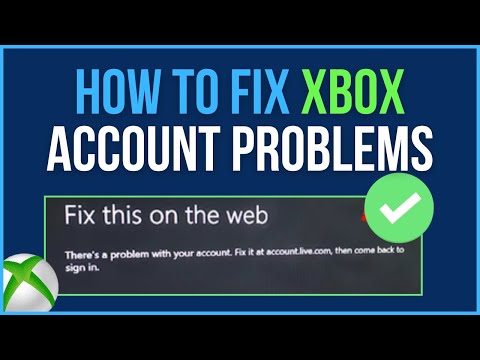
You will usually meet it as one of a few screens or messages:
- "Help us secure your account": Xbox Support says Microsoft locks an account for your security when it identifies suspicious activity, and this message is the result.
- "Let's protect your account": Microsoft wants you to add an alternate email or phone number so it can verify future sign-ins.
- "Sorry, something's wrong with your Microsoft account": a console error that points to a problem with the account, often outdated or unverified security info.
Before you start clicking through prompts, get set up so you only have to do this once. Have your phone unlocked and nearby, open the inbox of your backup email in another tab, and make sure you are on a genuine Microsoft sign-in page rather than a link from a message. If you play on a console, it can help to start the process on a PC or phone browser instead, since typing codes and new passwords is quicker with a keyboard, and the unlock applies everywhere once it is done.
None of these mean your games are gone. Your licenses, achievements and gamertag are still attached to the account; you just cannot use them until the hold is cleared.
Unlock It With a Security Code
If you still have the phone number or alternate email on file, unlocking takes a couple of minutes. Microsoft's unlock page sends you to the Sign-in Helper, where you enter a security code or change your password. Xbox Support lays out the "Help us secure your account" route in more detail:
- Select Next on the Help us secure your account screen.
- On How do you want to receive your security code?, choose the phone number or email on your security info.
- Enter the code you receive.
- Change your password. Xbox Support says you are required to do this before the lock is removed.
- Sign in with the new password and review the account for changes an attacker may have made.
If the prompt instead asks you to add information, Microsoft's help page explains that the alternate email or phone does not have to be yours; you only need access to it to receive the code. Note that Microsoft Support says VOIP numbers cannot be added as a way to sign in or get verification codes, so use a regular mobile number.
After you are in, open the Security section, go to Sign-in activity and select View my activity. Anything you do not recognize should be marked This wasn't me, and if the activity looks like someone else had your password, follow the full checklist in our Xbox account recovery guide.
When the Code Never Arrives
A missing code is the most common reason people stay locked out longer than they need to. Xbox Support says codes normally arrive within moments, and when they do not, the cause is usually outdated security info or a delay at your carrier or email provider.

- Check your junk or spam folder if the code went to email.
- Wait a little longer, since some carriers process messages slowly.
- Switch to a different security contact on the account.
- Enter only the newest code. Requesting a new one makes the previous code invalid.
- Do not hammer the button. Microsoft warns against excessive or repetitive code requests, which can lead to blocks.
Email codes have one more catch: Microsoft Support says verification codes sent by email go only to your primary alias or another address you added as a verification method. If you changed your main address recently, the code may be landing in the inbox you think you retired. Our walkthrough on changing the email on an Xbox account explains how aliases and security contacts differ.
The 30-Day Wait When Your Security Info Is Gone
If the phone number and backup email on file are both dead, choose I don't have any of these at the Verify your identity prompt and follow the instructions to replace your security info. Microsoft Support is clear about the cost: once it has been replaced, you must wait 30 days before you can sign in. If you find your old security info during that period, you can still use it to sign in, but doing so cancels the update.
Xbox Support adds what that waiting period looks like on a console:
- The replaced security info is deleted after 30 days, and Microsoft sends notices to the old contacts in case an attacker started the change.
- You get a notification when the 30 days are over.
- Microsoft says it cannot speed the process up.
- You can keep using your console and make purchases during the wait.
- You cannot make security changes, change your password or manage parental controls online until it ends.
A recovery code is the way around this delay. If you generated one earlier, Microsoft's recovery code page has you choose Use a different verification option, then I don't have any of these, and enter the code to reset your password. If you have no code and no access at all, the online recovery form is the remaining route.
Fixing "Something's Wrong" on the Console
When the console shows "Sorry, something's wrong with your Microsoft account. Go to https://account.live.com for help," Xbox Support suggests two checks. First, look at the Xbox status page for service alerts. Second, sign in to the security settings page and verify every phone number, alternate email and security question on the account.
One instruction on that page deserves emphasis: update incorrect security info rather than deleting it, because deleting it can lock you out. Make sure at least two pieces of security info remain, with at least one phone number or email. If you changed your security info within the last 30 days, you will have to wait until that period ends before changing it again.
Locked, Suspended or Closed?
Three very different problems look alike from the sign-in screen, and each has its own fix:
- Locked: a security hold. Clear it with a code, a security info replacement or the recovery form.
- Suspended: an Xbox enforcement. You can usually still sign in, but features such as chat or multiplayer are restricted. Check our guide to reading your Xbox ban status.
- Closed: the Microsoft account was closed. Xbox Support says you can reopen it within a 60-day grace period by signing in and entering a security code, after which it is permanently deleted.
Two more cases are worth ruling out. Microsoft's activity policy says an account locked for more than two years is considered inactive and will be closed, so do not leave a lock unresolved. And if the block comes up only when you open certain games or apps, it may be a parental consent or content limit prompt rather than a lock. Xbox Support explains that a profile with a birth date under the age of majority cannot open age-restricted content without permission, which our guide to Xbox accounts for kids covers.
Making the Next Lock Painless
Locks happen to careful people too, often after traveling or signing in on a new device. A few minutes of setup turns the next one into a non-event:
- Keep two current security contacts, ideally one phone number and one email. Xbox Support requires at least two.
- Install an authenticator app so you are not waiting on text messages.
- Generate a recovery code and store it offline, away from any device you sign in with.
- Sign in regularly; an untouched account is easier to lose track of.
- Never share your password. Xbox Support says sharing credentials is the most common route to account theft on the network.
Starting Fresh Instead
If a lock turns out to be permanent loss, some players start a new profile and others look at established ones. The store's Xbox accounts listings come from marketplace sellers and range from short gamertags to profiles with games attached, changing daily. Keep in mind that Microsoft's Services Agreement says account credentials cannot be passed to another user or entity, so an account you did not create stays tied to someone else's identity details.
Frequently Asked Questions
Why did Microsoft lock my Xbox account?
Microsoft temporarily blocks accounts when it notices unusual sign-in activity, to protect against fraud or abuse. It is a security hold, not an Xbox suspension.
How long does it take to unlock a Microsoft account?
With a working phone or email it takes minutes. If you must replace your security info, Microsoft requires a 30-day wait before you can sign in.
Can I unlock my account without my old phone number?
Yes, by replacing your security info and waiting 30 days, using a recovery code if you saved one, or submitting the online recovery form.
Can I still play while my security info is being replaced?
Xbox Support says you can keep using your console and buy content online during the 30 days, but you cannot change security settings or your password.
Can Xbox Support unlock my account for me?
Microsoft only verifies ownership through its online processes and says it cannot expedite the 30-day security wait, so the self-service steps are the route.
What happens if I never unlock it?
Microsoft's activity policy treats an account locked for more than two years as inactive and closes it, along with access to everything on it.