
You can change your PlayStation online ID as many times as you like: the first change is free, and every change after that carries a charge that Sony shows at checkout. A PSN name change takes a few minutes on the web, a PS5, a PS4 or the PlayStation App, but some older PS4 games can misbehave afterward, so it pays to read the compatibility rules before you confirm. Here is the whole process as it works in November 2026, including the parts Sony only mentions in passing.
We checked this against PlayStation Support's online ID change and troubleshooting pages, the PlayStation Blog's launch FAQ as reported in April 2019, and the current PlayStation Terms of Service in November 2026.
What the First Change Costs, and the Ones After It
Sony's support page puts it in two short sentences: the first time is free, and a charge applies for additional changes. There is no cap on how many times you can change, and there is no waiting period between changes listed on the page. What the page does not do is quote a price, so the figure you see on the confirmation screen is the one that counts.

For context, when the feature launched for everyone on April 10, 2019, Sony priced each change after the first at $9.99, or $4.99 for PlayStation Plus members, according to the PlayStation Blog FAQ reproduced by MP1st at the time. Sony has not repeated those figures on its current support page, so treat them as history rather than a quote. If you are about to pay for a second or third change, check the total on the Order and Pay screen before you confirm.
Going back is a different story. Reverting to your original online ID is free, and Sony describes the revert as the fix for most problems a change can cause. You do not pay again to undo a mistake, which makes a careful first choice less stressful than it sounds.
How to Change Your Online ID, Platform by Platform
The steps are almost identical everywhere: enter the new ID, confirm it is available, decide whether to show your old ID, then confirm the purchase (which is free the first time). The menu paths differ, so here they are exactly as Sony lists them.
- Web: sign in to Account Management, select Profile in the sidebar, select Edit next to your online ID, type the new one and select Check Availability. Then select Continue, choose whether to show your old ID, and confirm.
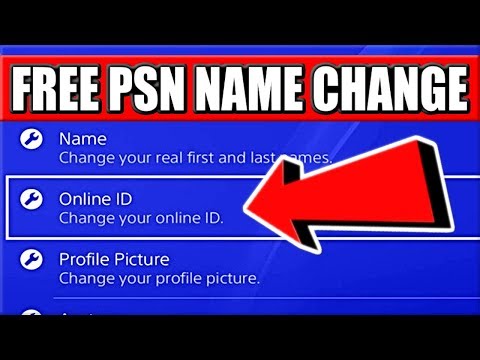
- PS5: go to Settings, Users and Accounts, Account, Profile, Online ID. Enter the new ID, select Confirm, choose whether to show your old ID, then select Order and Pay.
- PS4: go to Settings, Account Management, Account Information, Profile, Online ID. Enter the new ID, select Continue, choose the old ID option, then confirm.
- PlayStation App: open the Play menu, select your profile picture, choose Edit Profile, enter your password, select Edit next to the online ID, then Check availability and Continue.
Whichever route you take, Sony signs you out of every device once the change goes through. Have your password, and your 2-step verification phone or backup codes, ready before you start, because you will need to sign back in on each console. If you are not sure you still have those, sort that out first with our guide to getting back into a locked PlayStation account.
The PS4 Game Warning You Should Not Skip
This is the part most people skim and later regret. Sony's support page says PS4 games may experience issues after an online ID change and asks you to check its list of tested games before you commit. The troubleshooting page goes further, warning that a change can sometimes cause lost game progress, lost functionality and lost content, with hidden trophies given as one example of a technical issue.
The dividing line Sony gave at launch was the release date. In the April 2019 FAQ, a game had to have launched for the first time on or after April 1, 2018 to support the online ID change feature. Older PS4 titles were tested in bulk, and Sony said a large majority of the most played ones worked, but not every one. PS5 games were built after that cutoff, so the concern is mostly older PS4 libraries.
- PS3 consoles and PS Vita systems do not support the online ID change feature at all.
- If a game breaks, the documented fix is to revert to your original ID, which is free and handled through the Online Assistant.
- If more than a week has passed and your new ID still is not showing, Sony says to contact the Online Assistant.
If you still play older online games, especially ones with servers that key progress to your name, consider whether a cosmetic change is worth the gamble before you go ahead.
What Friends See After the Switch
During the change you are offered one choice that cannot be made later: whether to display your previous ID next to the new one on your profile for 30 days. Sony is explicit that you must select this during the change process. If you want friends and clan mates to recognize you, tick it; if the point of the change was a clean break, leave it off.
Your old name does not go back into the pool. Sony's 2019 FAQ said a previous online ID is only available to you, which is also why you can revert to it for free. That reserved status is good news if you change your mind and bad news if you were hoping a rival would free up a name you wanted. Our guide to checking whether a PlayStation name is available explains why so many short names are permanently taken.
Your account itself does not change. Friends lists, trophies, purchases and the account's original creation date stay where they were, because the online ID is a display name sitting on top of the same account. If you are curious how long that account has existed, our piece on finding out how old a PlayStation account is covers the methods that actually work.
Who Cannot Change Their ID, and Forced Changes
A few accounts are locked out of the feature entirely. Child accounts cannot change their online ID; Sony's answer is that an eligible child member can upgrade to an adult account first. Accounts under a communication suspension also hit an error when they try to change their online ID, according to Sony's suspension page.
Sony can also change your ID for you. If it receives a verified report that your online ID breaches its Terms of Service, the ID is replaced with one in the format Temp-xxxxxx. From there you can pick a new ID, or ask the Online Assistant to restore your original if that one did not breach the rules. If it was the original ID that was reported as inappropriate, Sony says that type of change cannot be reversed, though you can still move from the temporary ID to a new one.
Keep in mind that the online ID is not property you own outright. Sony's Terms of Service state that the Online ID belongs to Sony Interactive Entertainment, its affiliates and licensors, which is why a breach report can take a name away.
Choosing a Name You Will Not Want to Change Again
Since only the first change is free, the cheapest strategy is to get it right once. A few habits help. Say the name out loud: if it is hard to spell over voice chat, friends will struggle to add you. Avoid years and ages that will date quickly, and skip anything that could be read as offensive in another language, since a single report can trigger the Temp-xxxxxx process.
Think about region too. Your online ID is visible everywhere, but your account's country is fixed at creation and cannot be changed, so a name built around a region you are leaving will not move with you. If that is your situation, read our guide to changing the country on a PlayStation account before you spend money on a new name.
Finally, draft three or four candidates before you open the change screen. The availability check only answers one name at a time, and short, clean IDs are heavily taken after nearly twenty years of PlayStation Network, which launched in November 2006.
One more practical habit: change the name at a quiet moment, not right before a raid night or a tournament. Because the switch signs you out of every device, you will be re-entering your password and verification code on each console and phone, and any PS4 game that reacts badly needs time for a revert request to go through support.
If the Name You Want Is Already Taken
Sometimes the only place a particular short or established ID still exists is on an account someone else created. Our PSN accounts hub includes account listings from marketplace sellers, some of them built around short or older online IDs, and what is listed changes from day to day. Be aware that Sony's UK and EU Terms of Service prohibit sharing, buying, selling, trading or transferring accounts or account details, so weigh that before choosing that route over a fresh name of your own.
Frequently Asked Questions
Is the first PSN name change free?
Yes. Sony's support page says the first change is free and a charge applies to additional changes. Reverting to your original ID is also free.
How much does it cost to change your PSN name again?
Sony's current support page does not list a price; the charge appears at checkout. At launch in April 2019, Sony priced later changes at $9.99, or $4.99 for PlayStation Plus members.
Do you lose trophies when you change your PSN name?
Your trophies stay on the same account. Sony does warn that some PS4 games may have issues after a change, including lost progress, and lists hidden trophies as an example of a technical issue that a free revert usually fixes.
Can I change my PSN name on PS5?
Yes. The option sits in the console's account settings under your profile, in the Online ID field. Confirming the new name takes you to an Order and Pay screen, which costs nothing the first time.
Can I change my PlayStation name back to the old one?
Yes. Sony says you can revert to your original online ID for free by contacting the Online Assistant, and that the revert should resolve most issues caused by a change.
Why can't I change my online ID?
Common reasons are a child account, which cannot change its ID, or a communication suspension, which produces an error when you try. PS3 and PS Vita also do not support the feature.